Wellstar Health System DLS
Overview
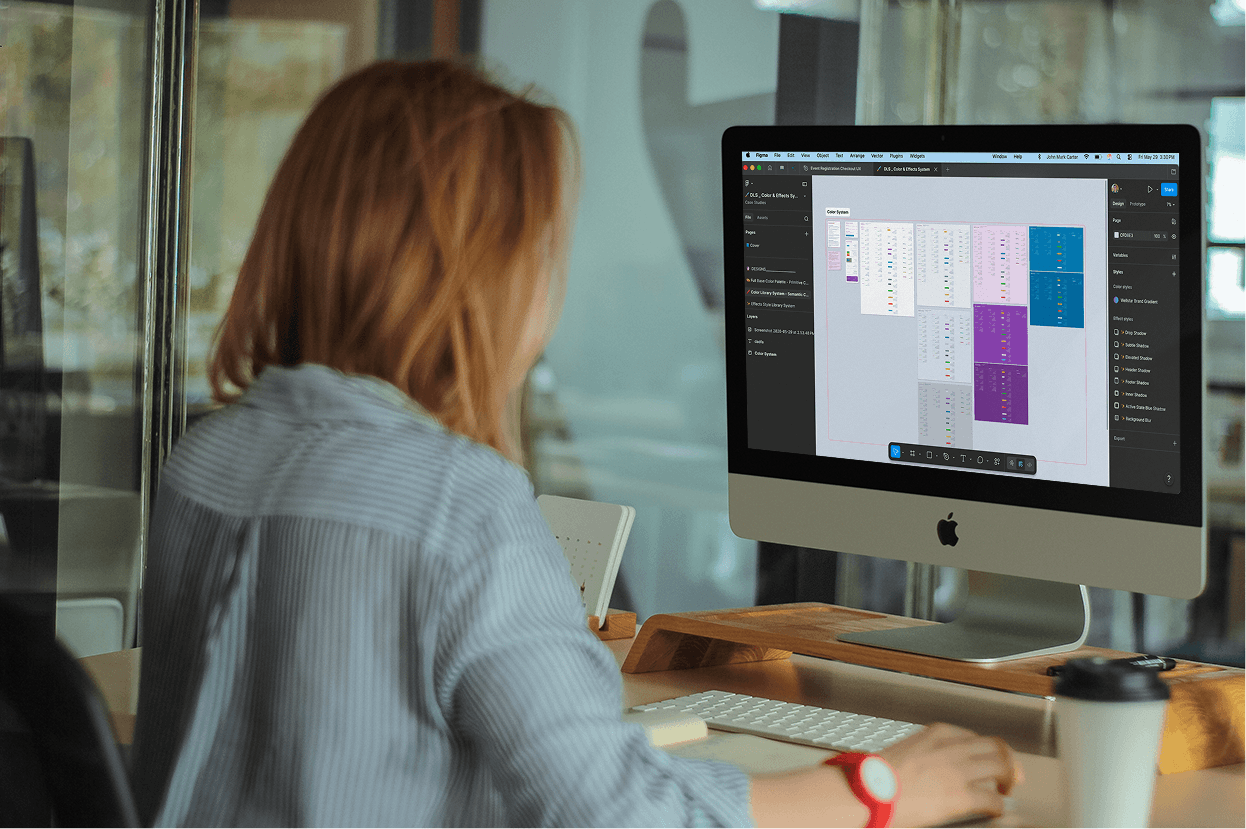
Wellstar Health Systems has seen tremendous growth in size and tech stack. With such a rapid rate of expansion and such a high influx of digital assets, Wellstar’s digital product team saw an opportunity to build a design system with scalability to match.
The Challenge
The 1.0 DLS had many strengths, yet it lacked a level of approachability for the design team that inherited it. Many artifacts lacked documentation for contextual usage, presenting risks for inappropriate application.
The existing DLS needed to be reimagined entirely, so I built a new system of design resources familiar to veteran team members while still being approachable to developers, QA analysts, and other digital product team members who would reference these resources.
Role & Responsibilities
UX Designer tasked with creating a fresh Design Library System from the ground up, highlighting the following capacities...
Clear type and color system guidelines for WCAG AA compliance or higher
Rich and intuitive organization of components for quick retrieval and tracking
Reusable, in-demand templates that can sync up with bulk updates as needed
Extensive and through documentation for utilizing the assets available
Process
To structure my workflow for this project, I followed the classic double-diamond process. The idea behind this method is to break your work into two major phases. In the first phase (or diamond), you seek to ensure you are designing the right solution that fits the user's needs.
In this case, the users would be designers using this design system. In the second phase, you work to make sure you are delivering the resulting product most effectively.
Broadening Scope
Narrowing Scope
Deliver
Develop
Define
Discover
Phase One: Discover & Define

Foundational research
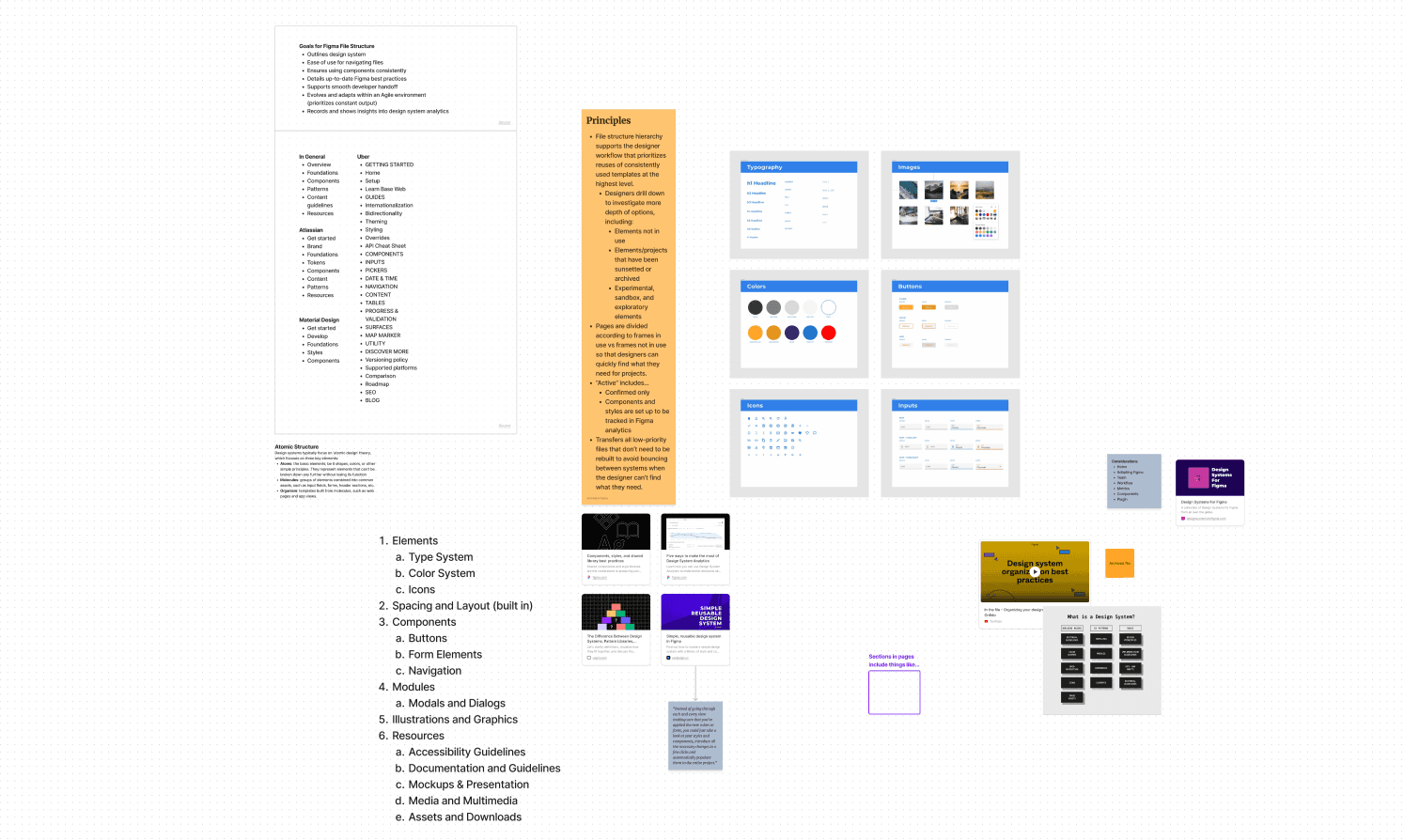
Conducting a competitive analysis of widely applauded design systems is a valuable way to build a strong foundation for understanding what makes a design system effective. I started by researching the more frequently referenced design systems made available to the public, including Google Material, Atlassian Design System, Uber Base, and Salesforce Lightning, among many others.
Synthesizing results
After auditing these various design systems, I collected the structural highlights to form the basis of an effective design system structure for Wellstar's digital product team. The team needed an extensive layout of resources, like the popular ones explored, yet laid out in a way accessible enough for quick reference by a small team of designers.
Prioritization & Alignment
No designer should ever work in a silo. I prepared and lead bi-monthly sync meetings with designers, developers, product managers, and QA to ensure the design system would be easy to use by all team members. Challenges we over came in these meetings included:

Example scenario
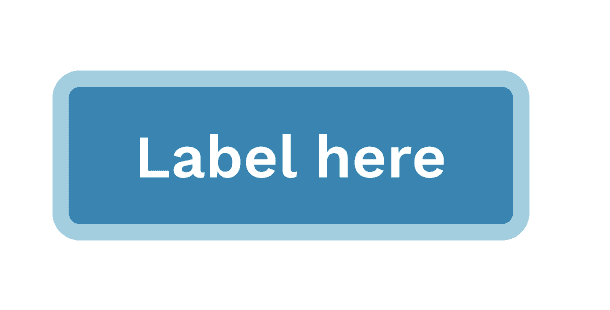
One particular problem we resolved in these meetings was to establish a consistent means of applying accessible focus states for interactive elements.
The requirement
2 pixels thick
3.1 contrast ratio with background
Perimeter must meet or exceed that of the element it is highlighting
The solution
Single, solid color and switches white on dark surfaces.
Lines are dashed to further distinguish from the components they highlight.
Before
After

Phase Two: Develop & Deliver
Atoms
Although I had many existing artifacts from the 1.0 design system to work with, I wanted to reimagine the design system effectively by reworking the structures from the ground up using atomic design principles
I started by building the "atoms" of the design system since they would be the foundation of every other design decision made for the more complex designs. Below were some of these atoms created:
A type scale made for continuity between various devices and friendly for responsive design


A type system to outline proper usage of type, hierarchy, and typesetting across all Wellstar designs
A color system to provide guidelines for appropriate uses of brand and UI colors to satisfy WCAG standards and maintain visual consistency


An effects system to detail approved uses of visual effects, such as gradients and shadows, to deliver a consistent experience for users and easier handoff for QA and development
molecules
Moving beyond atoms, I built a component library to create distinctions for common molecules that would appear regularly in our design work for the Wellstar website and mobile app.
Each time I would complete the creation of a component, the resulting asset would be cross-checked for accessibility and feasibility for development and QA.
Key Improvements
> Increased consistency in visual emphasis decisions for buttons and similar elements
> Enhanced clarity and consistency for disabled and focus states
> Simplicity and added clarity for proper usage and implementation for both dev and design through component descriptions and documentation

Organisms
The process for this component library wasn't linear, as the design process itself really never is. Due to the challenges and new insights discovered from whatever component I designed next, there were many rounds of design reviews, iterations, and revisions to previous work. In the midst of all this work, the beginnings of highly useful molecules and organisms (even full-page templates) began to form, including:
Example deliverables
> Scheduling modals
> 404 pages
> Form field layouts
> Section headlines
> "Blank canvas" page templates

Praise for DesignWell
I like the whole system! I like how easily it is to apply the components, colors, texts, etc. Everything is easily searchable with different terms. I am starting to appreciate the documentation components a lot.
Design Team Member
UX improvement gets a thumbs up from me. We are tackling items that needed to be addressed and will make the Wellstar web experience better.
Development Team Member
Personal Challenge: Quick Start Guide
A value I seek to maintain in every project I undertake is finding at least one opportunity to go "the extra mile." This increases my personal investment in the project and gives the resulting product a unique edge that other designers may not think to explore when given the same project.
I created an extra file with a step-by-step guide of links, resources, and templates for designers to get started adopting the DLS and increase communication on how their design work is meant to be understood from start to finish.

Outcomes
A working, viable system of designs for how Wellstar's website and mobile app should work and feel
A set of guidelines to ensure that the designs are consistently, appropriately, and accessibly implemented across all digital platforms
A vision for where Wellstar could go for introducing a dark mode toggle for their web pages and mobile apps.

Wellstar Health System DLS
Overview
Wellstar Health Systems has seen tremendous growth in size and tech stack. With such a rapid rate of expansion and such a high influx of digital assets, Wellstar’s digital product team saw an opportunity to build a design system with scalability to match.
The Challenge
The 1.0 DLS had many strengths, yet it lacked a level of approachability for the design team that inherited it. Many artifacts lacked documentation for contextual usage, presenting risks for inappropriate application.
The existing DLS needed to be reimagined entirely, so I built a new system of design resources familiar to veteran team members while still being approachable to developers, QA analysts, and other digital product team members who would reference these resources.
Role & Responsibilities
UX Designer tasked with creating a fresh Design Library System from the ground up, highlighting the following capacities...
Clear type and color system guidelines for WCAG AA compliance or higher
Rich and intuitive organization of components for quick retrieval and tracking
Reusable, in-demand templates that can sync up with bulk updates as needed
Extensive and through documentation for utilizing the assets available
Process
To structure my workflow for this project, I followed the classic double-diamond process. The idea behind this method is to break your work into two major phases. In the first phase (or diamond), you seek to ensure you are designing the right solution that fits the user's needs.
In this case, the users would be designers using this design system. In the second phase, you work to make sure you are delivering the resulting product most effectively.
Broadening Scope
Narrowing Scope
Deliver
Develop
Define
Discover
Phase One: Discover & Define
Foundational research
Conducting a competitive analysis of widely applauded design systems is a valuable way to build a strong foundation for understanding what makes a design system effective. I started by researching the more frequently referenced design systems made available to the public, including Google Material, Atlassian Design System, Uber Base, and Salesforce Lightning, among many others.
Synthesizing results
After auditing these various design systems, I collected the structural highlights to form the basis of an effective design system structure for Wellstar's digital product team. The team needed an extensive layout of resources, like the popular ones explored, yet laid out in a way accessible enough for quick reference by a small team of designers.
Prioritization & Alignment
No designer should ever work in a silo. I prepared and lead bi-monthly sync meetings with designers, developers, product managers, and QA to ensure the design system would be easy to use by all team members. Challenges we over came in these meetings included:
Example scenario
One particular problem we resolved in these meetings was to establish a consistent means of applying accessible focus states for interactive elements.
The requirement
2 pixels thick
3.1 contrast ratio with background
Perimeter must meet or exceed that of the element it is highlighting
The solution
Single, solid color and switches white on dark surfaces.
Lines are dashed to further distinguish from the components they highlight.
Before
After
Phase Two: Develop & Deliver
Atoms
Although I had many existing artifacts from the 1.0 design system to work with, I wanted to reimagine the design system effectively by reworking the structures from the ground up using atomic design principles
I started by building the "atoms" of the design system since they would be the foundation of every other design decision made for the more complex designs. Below were some of these atoms created:
A type scale made for continuity between various devices and friendly for responsive design
A type system to outline proper usage of type, hierarchy, and typesetting across all Wellstar designs
A color system to provide guidelines for appropriate uses of brand and UI colors to satisfy WCAG standards and maintain visual consistency
An effects system to detail approved uses of visual effects, such as gradients and shadows, to deliver a consistent experience for users and easier handoff for QA and development
molecules
Moving beyond atoms, I built a component library to create distinctions for common molecules that would appear regularly in our design work for the Wellstar website and mobile app.
Each time I would complete the creation of a component, the resulting asset would be cross-checked for accessibility and feasibility for development and QA.
Key Improvements
> Increased consistency in visual emphasis decisions for buttons and similar elements
> Enhanced clarity and consistency for disabled and focus states
> Simplicity and added clarity for proper usage and implementation for both dev and design through component descriptions and documentation
Organisms
The process for this component library wasn't linear, as the design process itself really never is. Due to the challenges and new insights discovered from whatever component I designed next, there were many rounds of design reviews, iterations, and revisions to previous work. In the midst of all this work, the beginnings of highly useful molecules and organisms (even full-page templates) began to form, including:
Example deliverables
> Scheduling modals
> 404 pages
> Form field layouts
> Section headlines
> "Blank canvas" page templates
Praise for DesignWell
I like the whole system! I like how easily it is to apply the components, colors, texts, etc. Everything is easily searchable with different terms. I am starting to appreciate the documentation components a lot.
Design Team Member
UX improvement gets a thumbs up from me. We are tackling items that needed to be addressed and will make the Wellstar web experience better.
Development Team Member
Personal Challenge: Quick Start Guide
A value I seek to maintain in every project I undertake is finding at least one opportunity to go "the extra mile." This increases my personal investment in the project and gives the resulting product a unique edge that other designers may not think to explore when given the same project.
I created an extra file with a step-by-step guide of links, resources, and templates for designers to get started adopting the DLS and increase communication on how their design work is meant to be understood from start to finish.
Outcomes
A working, viable system of designs for how Wellstar's website and mobile app should work and feel
A set of guidelines to ensure that the designs are consistently, appropriately, and accessibly implemented across all digital platforms
A vision for where Wellstar could go for introducing a dark mode toggle for their web pages and mobile apps.
Wellstar Health System DLS
Overview
Wellstar Health Systems has seen tremendous growth in size and tech stack. With such a rapid rate of expansion and such a high influx of digital assets, Wellstar’s digital product team saw an opportunity to build a design system with scalability to match.
The Challenge
The 1.0 DLS had many strengths, yet it lacked a level of approachability for the design team that inherited it. Many artifacts lacked documentation for contextual usage, presenting risks for inappropriate application.
The existing DLS needed to be reimagined entirely, so I built a new system of design resources familiar to veteran team members while still being approachable to developers, QA analysts, and other digital product team members who would reference these resources.
Role & Responsibilities
UX Designer tasked with creating a fresh Design Library System from the ground up, highlighting the following capacities...
Clear type and color system guidelines for WCAG AA compliance or higher
Rich and intuitive organization of components for quick retrieval and tracking
Reusable, in-demand templates that can sync up with bulk updates as needed
Extensive and through documentation for utilizing the assets available
Process
To structure my workflow for this project, I followed the classic double-diamond process. The idea behind this method is to break your work into two major phases. In the first phase (or diamond), you seek to ensure you are designing the right solution that fits the user's needs.
In this case, the users would be designers using this design system. In the second phase, you work to make sure you are delivering the resulting product most effectively.
Broadening Scope
Narrowing Scope
Deliver
Develop
Define
Discover
Phase One: Discover & Define
Foundational research
Conducting a competitive analysis of widely applauded design systems is a valuable way to build a strong foundation for understanding what makes a design system effective. I started by researching the more frequently referenced design systems made available to the public, including Google Material, Atlassian Design System, Uber Base, and Salesforce Lightning, among many others.
Synthesizing results
After auditing these various design systems, I collected the structural highlights to form the basis of an effective design system structure for Wellstar's digital product team. The team needed an extensive layout of resources, like the popular ones explored, yet laid out in a way accessible enough for quick reference by a small team of designers.
Prioritization & Alignment
No designer should ever work in a silo. I prepared and lead bi-monthly sync meetings with designers, developers, product managers, and QA to ensure the design system would be easy to use by all team members. Challenges we over came in these meetings included:
Example scenario
One particular problem we resolved in these meetings was to establish a consistent means of applying accessible focus states for interactive elements.
The requirement
2 pixels thick
3.1 contrast ratio with background
Perimeter must meet or exceed that of the element it is highlighting
The solution
Single, solid color and switches white on dark surfaces.
Lines are dashed to further distinguish from the components they highlight.
Before
After
Phase Two: Develop & Deliver
Atoms
Although I had many existing artifacts from the 1.0 design system to work with, I wanted to reimagine the design system effectively by reworking the structures from the ground up using atomic design principles
I started by building the "atoms" of the design system since they would be the foundation of every other design decision made for the more complex designs. Below were some of these atoms created:
A type scale made for continuity between various devices and friendly for responsive design
A type system to outline proper usage of type, hierarchy, and typesetting across all Wellstar designs
A color system to provide guidelines for appropriate uses of brand and UI colors to satisfy WCAG standards and maintain visual consistency
An effects system to detail approved uses of visual effects, such as gradients and shadows, to deliver a consistent experience for users and easier handoff for QA and development
molecules
Moving beyond atoms, I built a component library to create distinctions for common molecules that would appear regularly in our design work for the Wellstar website and mobile app.
Each time I would complete the creation of a component, the resulting asset would be cross-checked for accessibility and feasibility for development and QA.
Key Improvements
> Increased consistency in visual emphasis decisions for buttons and similar elements
> Enhanced clarity and consistency for disabled and focus states
> Simplicity and added clarity for proper usage and implementation for both dev and design through component descriptions and documentation
Organisms
The process for this component library wasn't linear, as the design process itself really never is. Due to the challenges and new insights discovered from whatever component I designed next, there were many rounds of design reviews, iterations, and revisions to previous work. In the midst of all this work, the beginnings of highly useful molecules and organisms (even full-page templates) began to form, including:
Example deliverables
> Scheduling modals
> 404 pages
> Form field layouts
> Section headlines
> "Blank canvas" page templates
Praise for DesignWell
I like the whole system! I like how easily it is to apply the components, colors, texts, etc. Everything is easily searchable with different terms. I am starting to appreciate the documentation components a lot.
Design Team Member
UX improvement gets a thumbs up from me. We are tackling items that needed to be addressed and will make the Wellstar web experience better.
Development Team Member
Personal Challenge: Quick Start Guide
A value I seek to maintain in every project I undertake is finding at least one opportunity to go "the extra mile." This increases my personal investment in the project and gives the resulting product a unique edge that other designers may not think to explore when given the same project.
I created an extra file with a step-by-step guide of links, resources, and templates for designers to get started adopting the DLS and increase communication on how their design work is meant to be understood from start to finish.
Outcomes
A working, viable system of designs for how Wellstar's website and mobile app should work and feel
A set of guidelines to ensure that the designs are consistently, appropriately, and accessibly implemented across all digital platforms
A vision for where Wellstar could go for introducing a dark mode toggle for their web pages and mobile apps.


Interested in connecting?
Nothing beats a real, human connection. Reach out and get to know me better!
Interested in connecting?
Nothing beats a real, human connection. Reach out and get to know me better!
Interested in connecting?
Nothing beats a real, human connection. Reach out and get to know me better!
Copyright 2026 by John Mark Carter
Copyright 2026 by John Mark Carter
Copyright 2026 by John Mark Carter